Approved answers
Set the service details, hours, service area, and frequently asked questions your assistant can use.

LaserBond Chat by LAK Technology
Give visitors answers while they’re on your site. When they’re ready to book or ask for help, give them a clear next step and get the request to the right person.
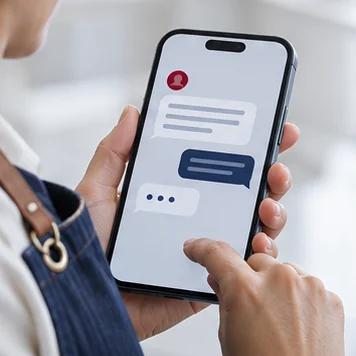
THE VISITOR EXPERIENCE
Someone on your website asks what you do, where you work, or how to get started. Chat uses the information your team approves.
The visitor can send an inquiry, open your booking page, or contact your team for a question that needs a person.
A connected inquiry form sends the request to the right business workspace. Your team can review the details and follow up.
CAPABILITIES
Set the service details, hours, service area, and frequently asked questions your assistant can use.
Set the widget’s header and accent colors for your website.
Send visitors to a form for contact information and the details your team needs. The LAK Contact form also accepts up to three photos.
Direct visitors to your booking page or to your team. We confirm your scheduling setup and what the visitor can complete during discovery.
A connected business workspace can notify staff by email and text when the channels are configured and confirmed.
Authorized team members can revise approved answers and appearance and review changes before publishing.
USE CASES
Answer service-area questions and guide a visitor to send the address, issue, and photos through the inquiry form. Your team decides the response and next action.
Explain what you offer, help a visitor identify the right service, and give them a path to request a consultation.
Explain how appointments work and direct visitors to the booking option your business uses.
SETUP
Send your website, common questions, and what your team needs to know before replying.
We review website compatibility, the pages that should show chat, and how inquiries, booking, and staff notifications should work.
Review the answers and branding with us, then walk through the desktop and mobile flows before publishing.
Identify who approves changes and who responds to requests. We agree on setup costs and any ongoing service or provider costs before work starts.
BEFORE YOU START
We review your website platform and confirm the installation approach during discovery.
Photo intake runs through a connected website form. The LAK Contact form accepts up to three JPG, PNG, or WebP files. We confirm the requirements for your own site.
Yes, where the inquiry is connected to a business workspace and both alert channels are configured, confirmed, and enabled.
Visitors have a way to contact your team. During setup we agree which questions should be handed to a person.
Your proposal reflects the website installation, approved content, inquiry or booking connections, and agreed support.
Bring your website and a few real customer questions. We’ll identify what chat can answer and where each request should go.